 Trade Buddy
How to Keep a Trading Journal That Actually Improves Your Results
A practical system for keeping a trading journal that actually improves your results: what to record per trade, a weekly review ritual, and finding your edge.
Most traders start a trading journal, fill it diligently for three weeks, and never look at it again. The notebook isn’t the problem. A trading journal only improves your results when logging is paired with a review habit that turns those entries into decisions. This guide gives you that full system: what to record, when to review, and how to convert a pile of trades into a measurable edge.
Why most trading journals fail
The failure pattern is almost always the same. People log trades but never review them. The journal becomes a diary nobody reads, so the lessons stay buried in the data.
There are three usual culprits:
- It takes too long. A 15-field spreadsheet per trade feels like homework. After a busy session you skip it, and once you skip a few you stop entirely.
- There’s no review step. Logging is collection; review is analysis. Without a scheduled review, you never close the loop between “what I did” and “what I should change.”
- The entries are vague. “Felt good about this one” tells future-you nothing. If you can’t query your past self for a pattern, the journal can’t teach you anything.
A good journal is fast to fill and easy to mine. Optimize for both and the habit survives contact with a losing week.
What to record for every trade
You want enough detail to spot patterns, but not so much that logging becomes a chore. Split your fields into two tiers.
Tier 1: the non-negotiables. Capture these on every single trade:
- Date and time of entry and exit
- Instrument (EURUSD, BTC, SPY, NQ, XAUUSD)
- Direction (long or short)
- Position size and risk in currency or R
- Entry price, exit price, stop, and target
- Realized P&L, ideally expressed in R-multiples
Tier 2: the context that builds an edge. These fields explain why you win or lose:
- Setup or strategy tag. The named pattern you traded (breakout, pullback, range fade). Tagging is what lets you group trades later.
- Reason for entry. One concrete sentence. “Broke prior-day high on rising volume,” not “looked strong.”
- A chart screenshot. Mark your entry, stop, and exit. A picture shows mistakes a bare number never will.
- Mistake flag. Did you follow your plan, or break a rule? Be honest here. This single field drives most of your improvement.
- Emotional state. Calm, rushed, tilted, bored. Boredom and revenge cost more money than bad setups.
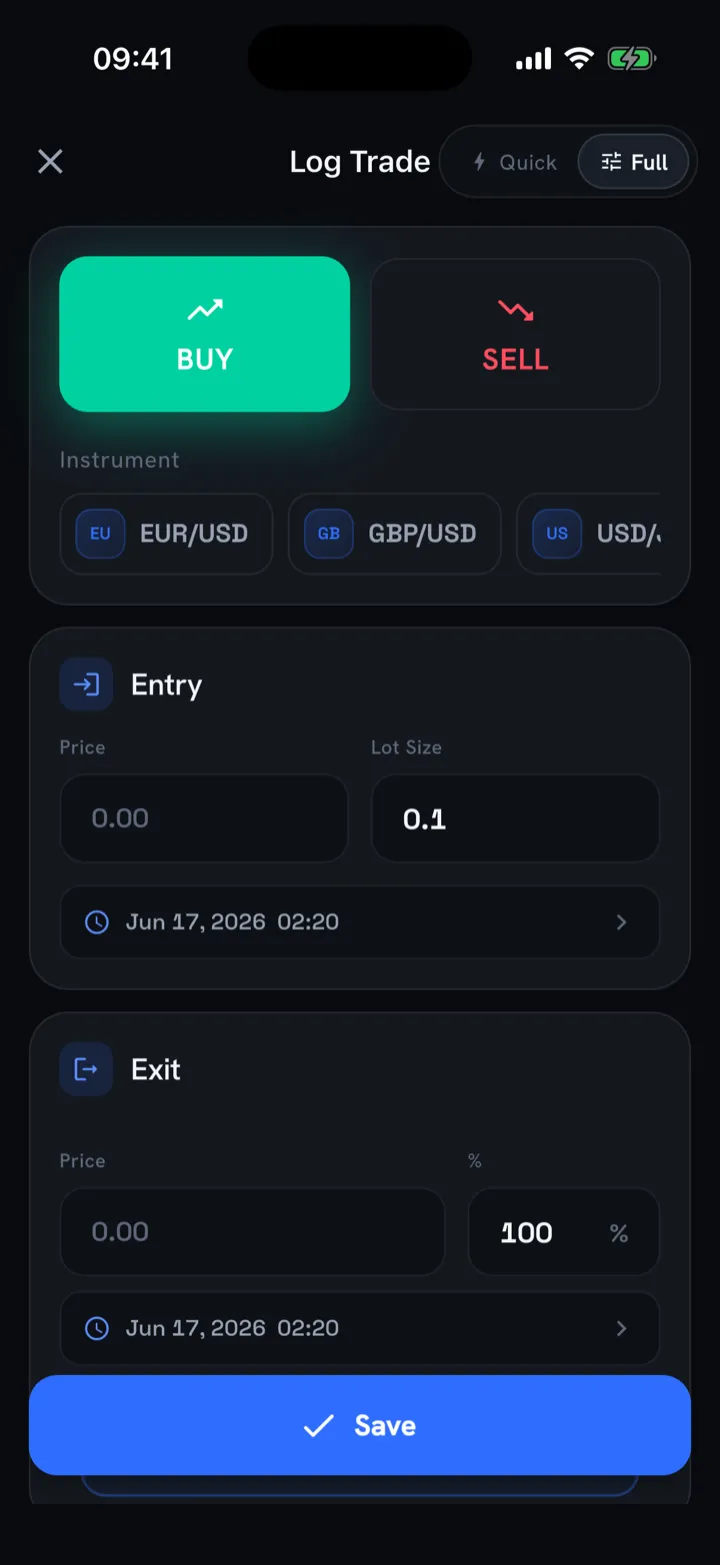
Notice that R-multiples appear early. Logging raw dollars makes a $50 account and a $50,000 account look incompatible, but a +2R win reads the same on any size. If win rate and R-multiples are new to you, Win Rate vs. Risk-Reward breaks down why the two only mean something together.
The weekly review ritual
This is the step that separates a journal that works from a journal that just exists. Block 30 minutes once a week. Same day, same time, treat it like a fixed appointment.
Run it as a checklist:
- Pull the week’s trades and read them top to bottom before judging anything.
- Sort by your setup tag. Which strategies made money? Which bled it? Look at totals in R, not the headline win-rate.
- Re-open every screenshot on your three best and three worst trades. Patterns hide in the worst ones.
- Count your mistake-flagged trades. What did breaking your rules actually cost you in R this week?
- Write one sentence of intent for next week. One. “No trades in the first 15 minutes after the open.” Specific and testable.
A small scorecard keeps the review honest. Even five lines is enough:
| Metric | This week | Last week |
|---|---|---|
| Net R | +4.2R | -1.1R |
| Win rate | 48% | 41% |
| Rule breaks | 2 | 6 |
| Best setup (R) | Pullback +5.0R | Breakout +2.3R |
| Worst setup (R) | Range fade -2.8R | Range fade -3.4R |
(Illustrative numbers. Yours will look nothing like this, and that’s the point: the trends are personal.)
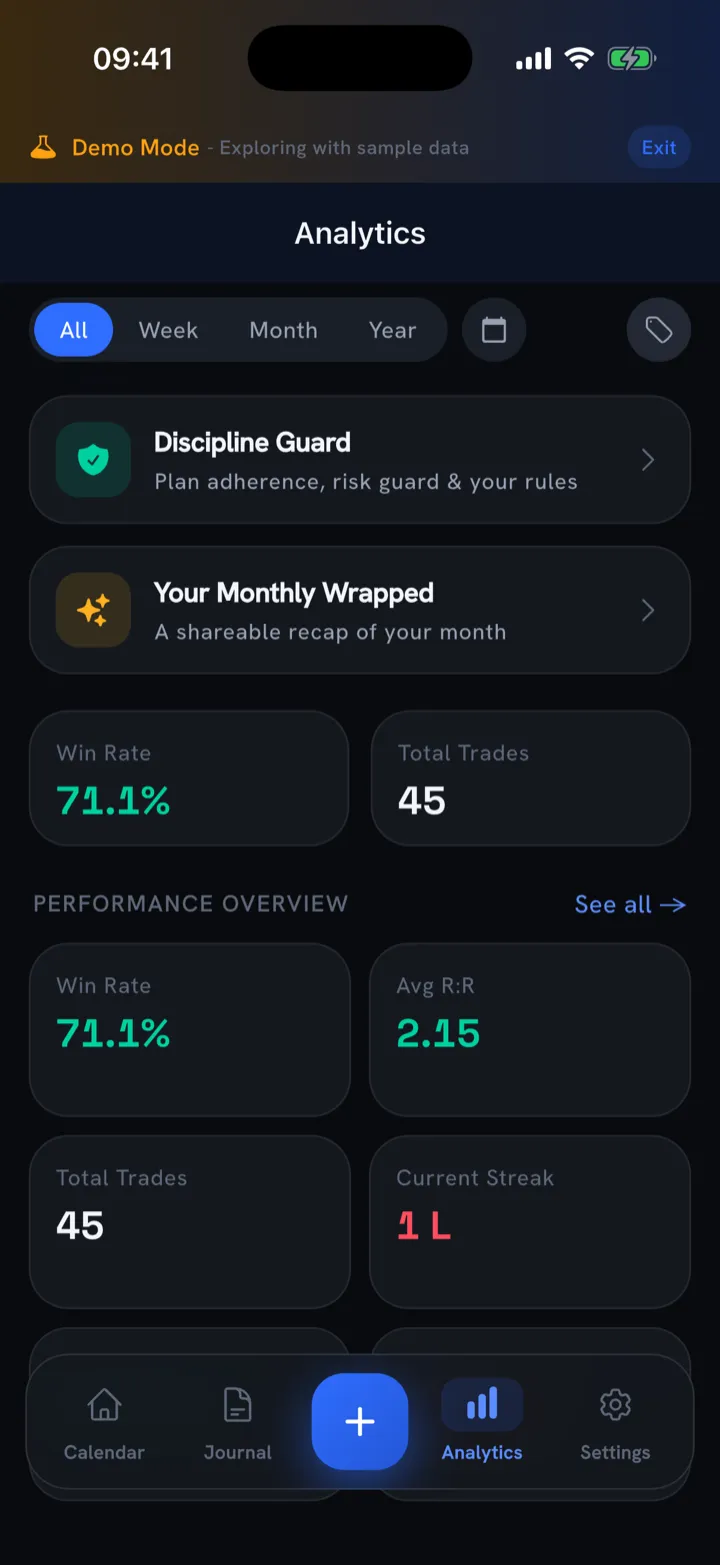
The first time you do this you’ll find something uncomfortable and obvious. Most traders discover one setup quietly funds all the others, or that a single time-of-day produces most of the damage.
Turning entries into an edge
Once you have a few dozen reviewed trades, your journal stops being a log and becomes a research dataset. The question shifts from “how did I do?” to “where exactly is my money made and lost?”
Find your A+ setup
Group every trade by setup tag and total the R for each. One or two tags usually carry your account. The fix is rarely to trade more. It is to trade the winners bigger and cut the losers entirely, and that decision is only possible because you tagged consistently.
Hunt for leaks
A leak is a recurring, fixable loss. Common ones the journal exposes:
- Trades placed outside your stated session
- Moving a stop “just this once” (your mistake flag catches these)
- Oversizing after a win, undersizing after a loss
- A specific instrument you keep losing on but can’t quit
Connect emotion to outcome
Filter your losing trades by emotional state. If “rushed” or “revenge” clusters on your worst results, you have a discipline problem, and discipline needs a different fix than strategy does. How to Stop Revenge Trading covers the system for that specific leak.
The whole exercise is descriptive. A journal tells you what has happened with your own money. It isn’t financial advice, and past patterns don’t guarantee future trades, but they’re the most honest feedback you’ll ever get.
Common journaling mistakes
- Logging only winners. Your losers contain the lessons. Skipping them poisons every average you calculate.
- Backfilling from memory. Log right after the trade closes. A day later your “reason for entry” is a flattering reconstruction.
- Tracking dollars, not R. Dollar P&L hides whether your sizing is sane. R-multiples make every trade comparable.
- No screenshots. You’ll swear you remember the chart. You won’t.
- Reviewing daily, acting never. Staring at equity curves isn’t review. Review ends with a written decision.
Tools: from spreadsheet to app
A spreadsheet is a fine place to start. It’s free and you control every column. The trade-off is friction: manual entry is slow, screenshots live in a separate folder, and you build every metric by hand.
That friction is exactly what kills the habit, which is why a purpose-built trading journal app tends to win over time: faster logging and analytics that are already built in.
How Trade Buddy fits this system
Trade Buddy is built around the exact loop above: log fast, review weekly, and find your edge.
- Logging in under five seconds, with live estimated P&L as you type, so the habit actually sticks.
- Screenshot import reads your MT4, MT5, cTrader, or TradingView trade-history screen and logs every fill. If you trade MetaTrader, importing MT4 and MT5 trades takes the manual-entry friction to zero.
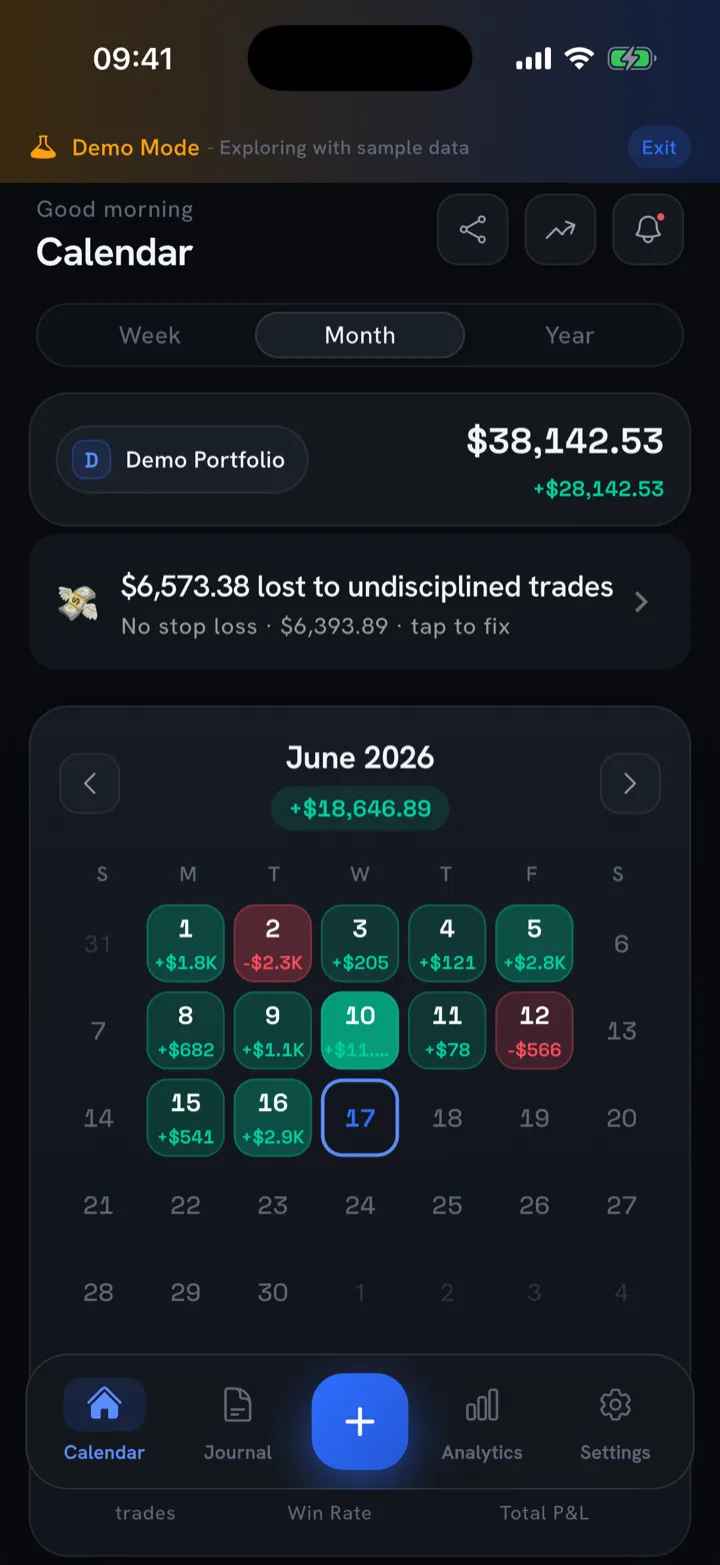
- A color-coded PnL calendar turns your month into green and red days; tap any day to see the trades behind the number. (New to the idea? What Is a PnL Calendar explains it.)
- An AI coach scores your trading health and flags your edges and leaks, which automates the pattern-hunting part of your review.
- A discipline guard with custom rules, a daily loss limit, and a plan-adherence score: your mistake flag, automated.
Your data stays on the device, no account required. It’s free forever, with Pro analytics like Sharpe, Sortino, and expectancy if you want to go deeper.
The bottom line
A trading journal works when it’s fast enough to keep and structured enough to review. Record the non-negotiables plus context on every trade, run a 30-minute weekly review that ends in one written decision, and mine your tags for the setup that funds your account. Do that for a month and the journal stops being a chore. It turns into the most honest feedback you’ll ever get on your own trading.
Start your first reviewable entry today: download Trade Buddy free and log your next trade in under five seconds.
Frequently asked questions
What should a trading journal include?
Record the basics on every trade: date and time, instrument, direction, position size, entry and exit price, stop, target, and realized profit or loss in R-multiples. Then add the context that explains your results, such as the setup you traded, your reason for entry, a chart screenshot, whether you broke a rule, and your emotional state.
How often should I review my trading journal?
Log each trade right after it closes, while the details are fresh, then run one focused review every week. Block thirty minutes on the same day each week, read the week's trades, sort them by setup, study your best and worst, and finish by writing a single specific intention for the week ahead.
Is a notebook, spreadsheet or app best?
A spreadsheet is free and flexible, so it is a fine place to start, but manual entry is slow and you build every metric by hand. That friction is what makes most people quit. A purpose-built app logs trades in seconds, stores screenshots, and calculates your analytics automatically, which keeps the habit alive long enough to pay off.
How long until a journal improves results?
Most traders see a useful pattern after a few dozen reviewed trades, which often takes about a month of consistent logging and weekly review. The first honest review usually exposes one setup that funds your account or one time of day that causes most of your losses. Acting on that single finding is where the improvement starts.
What is an R-multiple?
An R-multiple measures a trade's result as a multiple of the amount you risked. One R is your initial risk, so if you risk fifty dollars and make one hundred, that trade is plus two R. Logging in R instead of raw dollars makes every trade comparable across account sizes and shows whether your position sizing is sane.