 Trade Buddy
Forex Trading Journal: Track the Trades That Move Your Account
A forex trading journal records pair, session, lot size, and R for every trade. See what to track, why it beats stock journaling, and how to start one fast.

Most forex accounts don’t die from one bad entry. They bleed out over weeks of unrecorded trades, oversized lots, and the same mistake repeated because nobody wrote it down. A forex trading journal is the fix: a running record of every pair you trade, when you traded it, how big you went, and what happened next. Stock traders can sometimes get away without one. In forex, where leverage turns a small sizing slip into a margin call, you can’t.
What your forex journal should capture
A broker statement gives you fills and a balance. It doesn’t tell you why you took the trade or whether the size made sense. Your journal fills that gap. For each trade, capture the fields below, because every one of them answers a question you’ll want to ask later.
| Field | Why it matters |
|---|---|
| Pair | Your edge is rarely spread evenly. EURUSD and GBPJPY behave nothing alike, and you can only see the difference if you tag each trade. |
| Session | London, New York, and Asia have different volatility. The same setup can print in one window and chop you up in another. |
| Direction | Long or short. Some traders are quietly one-directional and never notice until the data says so. |
| Lot size | The single biggest driver of how much you win or lose. Wrong size, right idea, blown account. |
| Pips | The raw move, useful for spotting whether you cut winners early or let losers run. |
| Entry, stop, target | Defines the trade before emotion gets a vote. Logging all three shows whether you honor your stop. |
| R multiple | Result measured in units of risk. +2R or -1R travels across pairs that move at different speeds. |
| Setup tag | Name the pattern (breakout, pullback, range fade). This is how you find which setups carry their weight. |
| Chart screenshot | A picture of the trade beats a paragraph describing it. You’ll spot context you didn’t notice live. |
| Emotion note | One line: bored, revenge, confident. The notes you least want to write are usually the ones that matter. |
That lot-size row deserves a flag. Sizing, not entry, is what quietly determines your equity curve, so it’s worth getting the math right before you click. If you guess your position size by feel, read how to calculate position size and then log the number you used. Over a hundred trades, the gap between your intended risk and your real risk is often the whole story.
Why forex needs a journal more than stocks
You can swing a stock portfolio with a casual eye and survive. Forex is less forgiving for four specific reasons.
- It runs 24 hours, five days a week. There’s no closing bell to force a daily review. Trades blur together across sessions, and without a log you lose track of what you did at 3am versus 9am.
- Leverage magnifies sizing errors. A stock position that’s 20% too big is a bad day. A forex position that’s 20% too big, at 30:1 leverage, is a different account by Friday.
- Sessions and news dominate. A clean setup during the London open is a different trade than the same setup into a US payrolls release. Only a journal that tags the session and the news context tells them apart.
- Pairs are correlated. Long EURUSD and short USDCHF is close to the same bet twice. Stack three correlated longs and you’ve quietly tripled your risk while telling yourself you’re diversified.
None of this requires a fancy system. It requires a record. The traders who last are the ones who can answer “what did I do last month” with data instead of a guess.
Log it by hand, or let the import read it
You have two ways to fill a forex trading journal, and they’re worth comparing honestly.
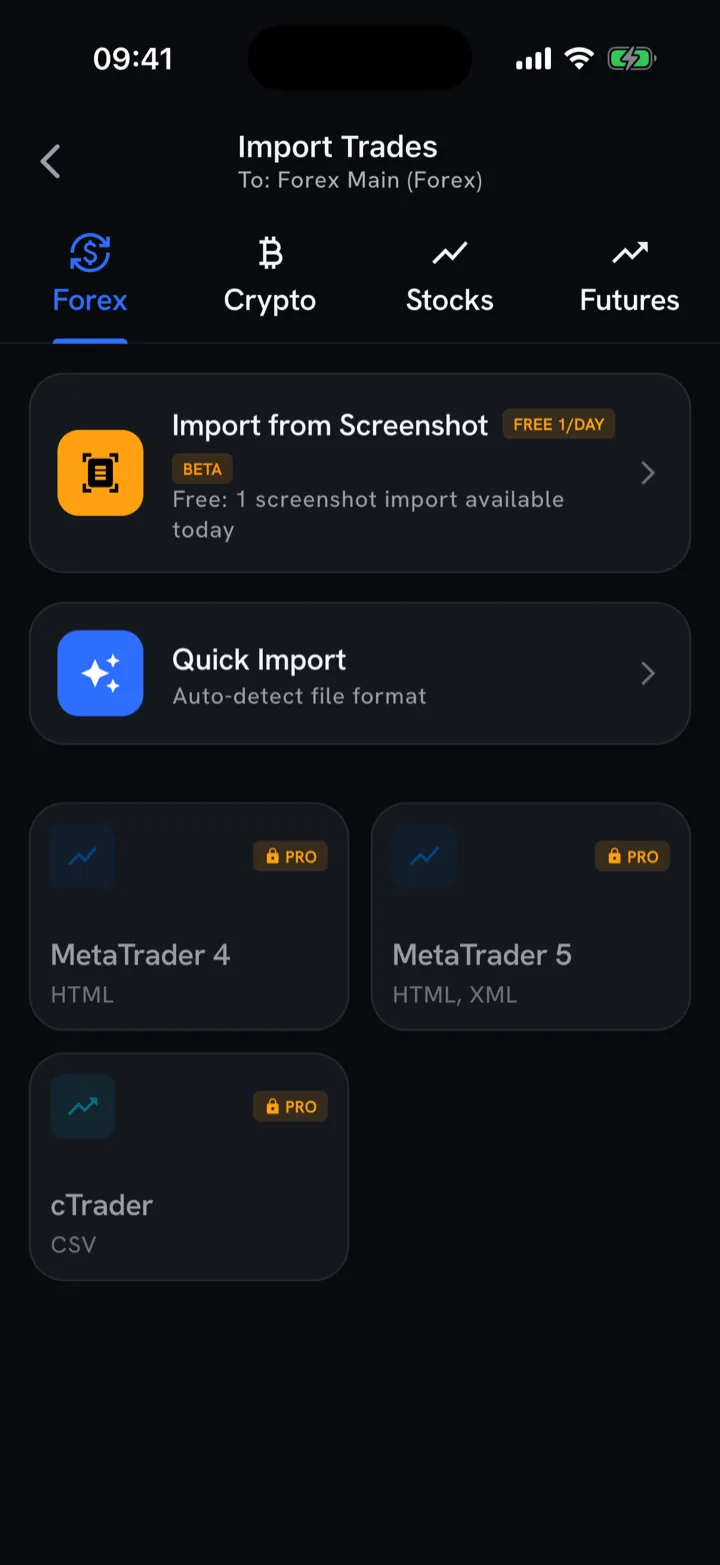
Manual logging means typing each trade: pair, size, entry, exit, the works. The upside is that writing it down forces you to think about the trade. The downside is friction. After a busy session you skip it, and a journal with gaps lies to you, because the trades you forgot to log are often the worst ones.
Automatic logging closes that gap. In Trade Buddy you snap a screenshot of your MT4, MT5, cTrader, or TradingView trade-history screen, and the import reads every fill, pulling the pair, direction, size, and prices straight into your journal. A week of trades lands in seconds, with no rows to retype. You still add the setup tag and the one-line emotion note by hand, because those live in your head, not your broker. For the step-by-step on getting your platform history in cleanly, see how to import MT4 and MT5 trades.
The practical answer is to use both. Let import handle the data entry so your record is complete, then spend the saved minutes on the context that makes the journal worth keeping.
Where your edge lives: pair and session
Here’s the payoff for tagging every trade. Once you have a few weeks logged, group your results by pair and by session, and the picture usually surprises people.
A common shape looks like this. EURUSD during the London open is your real edge: tight spreads, clean trends, a win rate that holds up. Meanwhile GBPJPY in the Asian session is bleeding you out one whippy stop-out at a time, and you never noticed because the wins and losses were buried in one combined balance. The fix isn’t a new indicator. It’s trading more of the first and less of the second.
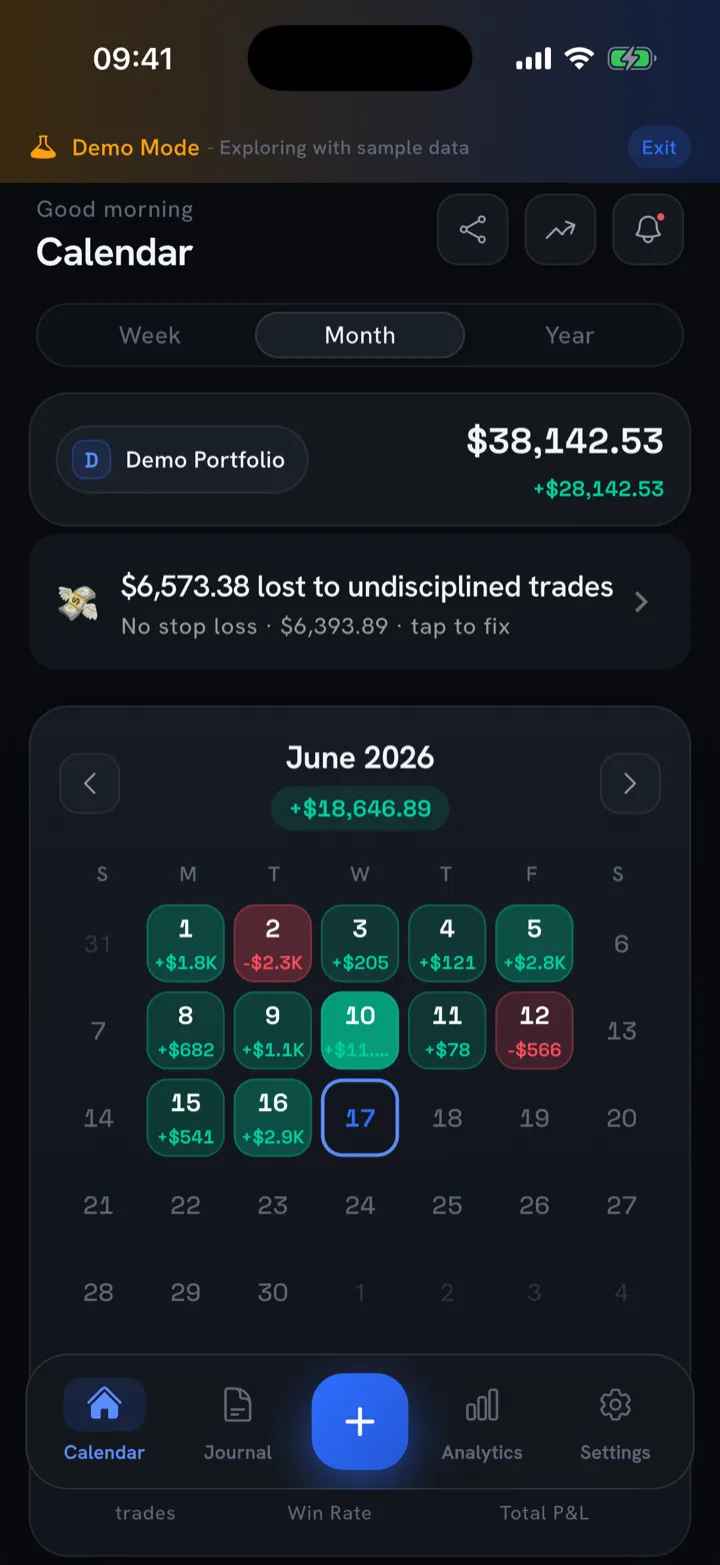
A PnL calendar makes the day-level pattern obvious: a wall of green Tuesdays and a stubborn red Thursday tells you something before you’ve read a single number. Then go deeper with the trading metrics that matter, filtered by pair and session, and read win rate, average win versus average loss, and expectancy for each slice. A 45% win rate can be highly profitable if your winners are 2.5R and your losers are 1R. A 60% win rate can still lose money if you let one bad GBPJPY trade run to -4R. The point of the journal is to let you see which slice of your trading carries the account, and to cut the rest.
Signal versus noise: track the right things
New forex traders tend to over-log indicators and under-log behavior. They’ll note the exact RSI reading and the moving-average cross, then ignore the fact that they doubled their normal size because the last trade lost. The indicator reading is almost always noise. The size and the reason are signal.
So bias your journal toward fields that change your decisions:
- Track setup, not signals. “Pullback to the 20 EMA after a London breakout” is a setup you can count and grade. “RSI was at 38” is trivia you’ll never act on.
- Track R, not only pips. Pips ignore your risk. R measures the trade against the stop you set, which is the only fair way to compare a EURUSD scalp with a GBPJPY swing.
- Track the emotion note. One honest word per trade. Over a month, “bored” and “revenge” cluster around your worst days with depressing reliability.
- Drop the rest. If a field doesn’t change what you do next time, it’s costing you the energy you need to keep logging at all.
The goal is a journal you’ll still be filling in three months from now. Lean records that capture the few things that move your equity beat exhaustive ones you abandon by week two.
How Trade Buddy works as a forex journal
Trade Buddy is a free iOS trading journal built for exactly this workflow. You log a trade in seconds or screenshot your platform history and let the import read it, so your record stays complete even after a heavy week. Every trade lands on the PnL calendar as a green or red day with the daily net on the tile, and the analytics break down win rate, green days, average win and loss, R multiple, expectancy, Sharpe, Sortino, and max drawdown, each with a plain-English explainer so you don’t need a stats degree to read your own results.
Your data stays on the device, with no account required, and it’s free forever to start, with paid plans for deeper analytics on the pricing page. If you’re weighing it against other options, here’s an honest look at the best trading journal apps for iPhone.
The bottom line
Forex punishes the gaps in your record harder than any other market, because leverage and round-the-clock hours give bad habits more room to compound. A forex trading journal won’t place better trades for you, and nothing here is financial advice. What it does is show you, in your own numbers, which pairs and sessions earn their place and which ones you should stop trading. Start logging today. Get Trade Buddy free on the App Store.
Frequently asked questions
What is a forex trading journal?
A forex trading journal is a record of every currency trade you take, capturing the pair, session, direction, lot size, entry, stop, target, and outcome. Unlike a broker statement, it ties each trade to a setup and a result, so you can see which pairs and times of day make you money, and which ones quietly drain the account.
What should a forex trading journal include?
At minimum, log the pair, the session (London, New York, or Asia), direction, lot size, entry, stop, target, and your R multiple on exit. Add a setup tag and a chart screenshot so each trade has context. The pair and session fields are what most stock journals lack, and they reveal where your forex edge sits.
Why do forex traders need a trading journal?
Forex runs 24 hours, five days a week, and leverage magnifies every sizing decision, so an oversized lot can erase weeks of gains in one trade. A forex trading journal catches those patterns early: the session you overtrade, the pair that keeps stopping you out, the news days you should sit out. Without a record, you repeat the same mistakes blind.
How do I track forex trades automatically?
Snap a screenshot of your MT4, MT5, cTrader, or TradingView trade-history screen and let the app read the fills. Trade Buddy pulls the pair, direction, size, and prices into your forex trading journal in seconds, so you log a week of trades without typing rows by hand. You add the setup tag and notes the broker never stores.
Should a forex journal track pips or R multiple?
Track both. Pips tell you how far price moved, but R multiple tells you whether the trade was worth the risk. A 30-pip win on a 10-pip stop is +3R; a 30-pip win on a 60-pip stop is only +0.5R. Logging R in your forex trading journal lets you compare trades across pairs that move at different speeds.